
AI Agent Controls, Governance and Data Protection
Your work.
Privately done.
Everyone else controls where data can go. RedactSure controls what the AI can see. Sensitive values become tokens before any model reads the screen, and a named person approves every consequential action.

Sensitive work.
Human control.
One conversation.
A clear way forward.
01 / Privacy, built into the work
Privacy happens
before AI sees it.
Render-layer tokenization replaces sensitive values with consistent tokens before any model reads the screen.
The sensitive values you choose to protect stay in your protected workspace. The AI works with tokens and the context it needs.
Private information stays yours.
Your protected view
Review the billing record for Jamie Rivera and account ending 7492.
What the AI receives
Review the billing record for [PERSON_001] and account ending [ACCOUNT_001].
The assistant can work with the context. Your sensitive values stay in your protected workspace.
02 / From a request to a result
Ask for what you need.
Leave with work done.
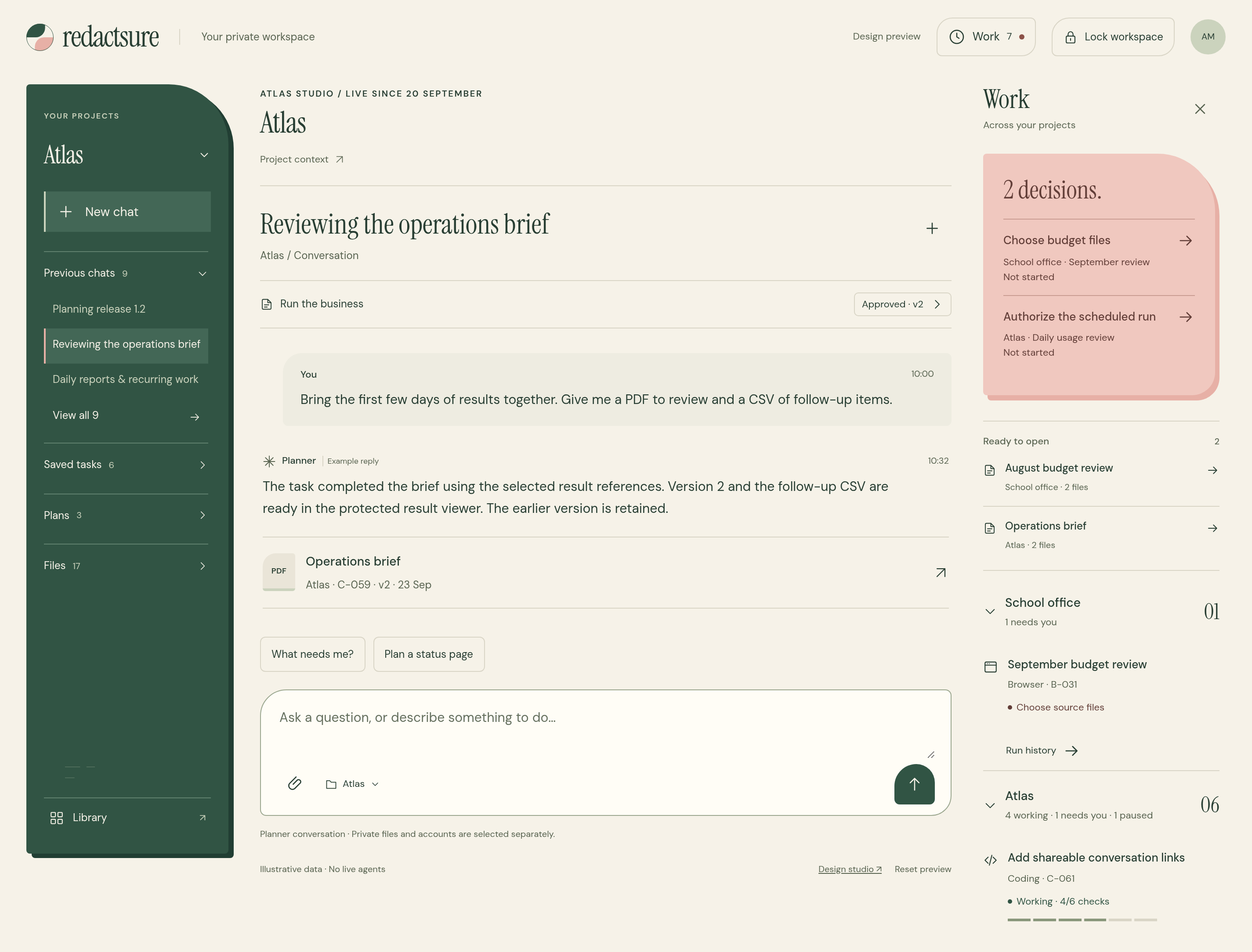
Think it through together. Then let your assistant gather the pieces, work through the details, and prepare something you can use.
Start with what you need
“Review overdue billing records, draft collections notes, and prepare a report.”One request. A considered plan.
- 01
Make a plan together.
Your assistant identifies the sources, steps, and result. Keep the work together in a project.
- 02
Give it the right scope.
Review the applications, protected data, allowed actions, and approval points before work begins.
- 03
Keep the work moving.
Supervise the run, handle exceptions, and keep consequential actions with a named approver.
Something useful on the other side
Answers are a start.
Bring the work with you.
- Collections reportA clear report, ready to review.Ready
- Billing summaryThe figures, organized and usable.Saved
- Billing recordsKeep the context behind the answer.Saved
Reports and source files stay together with the run record: actions, approvals, interventions, and results.
Illustrative task and outputs03 / Across your apps
Alongside you.
Within your boundaries.
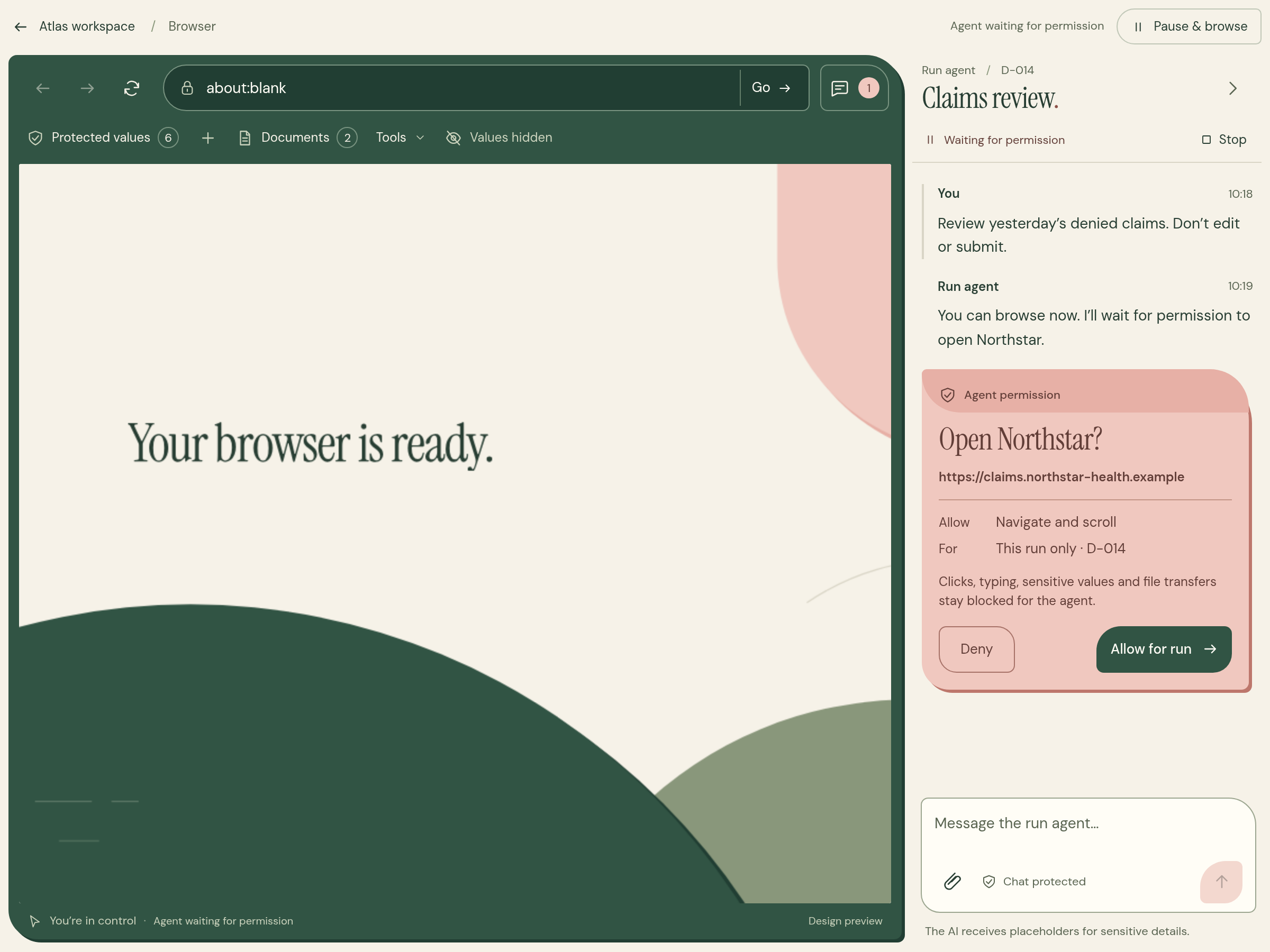
Let your assistant work in approved apps, collect documents, and follow the task you’ve reviewed. See what’s happening as it happens.
When a step needs you, take over the browser. Sign in, check a detail, then hand it back.
04 / A practical first deployment
Start small.
Prove the workflow.
Start with one recurring task, a clear owner, and an outcome worth measuring. Define the systems, protected values, allowed actions, and approval points. Then run a bounded pilot with your team.
How a governed pilot worksPaid pilot
Scituate School Department
Scituate School Department is piloting budget-transfer automation and sanctioned AI drafting across five principals and the superintendent’s office. Principal approval remains required.
Read the brief ↗Let’s put it to work
Your workflow.
Your questions.
Bring us one sensitive workflow. Tell us which systems it crosses and which decisions must stay with your team.
Meet with the founders
Bring your
hardest questions.
Twenty-five minutes on the architecture, or a demo on a workflow like yours.